top of page
Movement and
Lines
Movement and
Lines
Movement and
Lines
Movement and
Lines
Movement and
Layers
Within my fifth and final stage, I wanted to use my Scalextric to combine the ideas of my previous two stages. Using the original track and then possibly creating my own, I want to record the movement of the car using a light which is attached to the top of the vehicle. With this I want to capture the movement on turns. curves and straights to show the delicacy of the movement and the line it creates. With these light trails I want to use layering to create optical illusion like images that make my viewer question the progression from their original form to my
final piece.
Critical Link:


Contact Sheets:


Selections:


Annotations:


Settings:
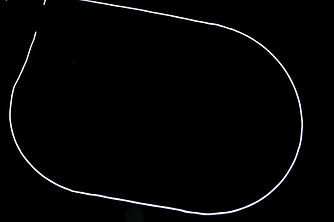
ISO: 400
Aperture: f/4.5
Shutter speed: 10.00s
ISO: 400
Aperture: f/5.6
Shutter speed: 10.00s


ISO: 400
Aperture: f/5
Shutter speed: 10.00s
Process:

Originally, I wanted to use a colour changing LED to place on top of the toy car. However, this light was too heavy for the car and it would cause it too fall. After searching for an alternative, I found an old book light and unscrewed the plastic lamp shade to expose the light fully so my camera can track it.
I then looked at where to place my light without damaging the toy car. I removed all the parts of the car the could easily get broken and used sellotape to attach the light securely.


Tracks:
Two different tracks were designed to capture the movement of the car. The first is the original design for the scalextric track and allowed me to capture different curves and lines of the moving car without having to constantly rearrange the track, however i soon realized that when the car moved underneath the track and up onto the raised platform the light was not captured as it was covered. This led me to experiment with the placement of the track so i could get a full line exposure without the light disappearing.


Track Movement:
Track One:
Track Two:
Layering:
For my initial layering experiment I wanted to use the lines and create a 'Kaleidoscope' illusion feeling to my images by manipulating the way the image is seen. Firstly, I selected the line and flipped it horizontally, creating a mirror effect, the colour of this line was then changed. I then selected both lines, copied and flipped vertical to make my viewer see this 'double image'.


First Experiment:
After analysing my images and researching, I wanted to create developments that referenced Paul Snell more directly. After examining his work and thinking about how my lines can reflect his work, i decided to layer the scalextric lines on top of each other to create a 'movement' and motion blur feel, but also creating a optical illusion like image. I selected the original line and duplicated it, using the colour overlay section of blending options i changed the colour of the white line and reduced the opacity so the colour wasn't as 'harsh' on the eyes. I then recreated this process many times with different colours.
I wanted to keep the original white line to show the progression from just a singular line into a full piece, this being the only white line makes this stand out to my viewer.

Further Developments:


bottom of page